# ASP.NET MVC 5 搭配 EF6 無法啟用 MvcBuildViews 建置檢視頁面的解法
今天在示範 MSBuild 如何設定 `MvcBuildViews` 屬性時,發現只要有 `*.edmx` 存在於專案中,建置的時候就會導致出現 **Could not load type 'System.Data.Entity.Design.AspNet.EntityDesignerBuildProvider'** 的問題,這個問題想從 Visual Studio 2019 裡面很難看出個端倪,必須改用 MSBuild 才能看出脈絡。今天這篇文章,我將分享這個問題的細部分析,並提供解決方案。
### 建立 MVC5 專案
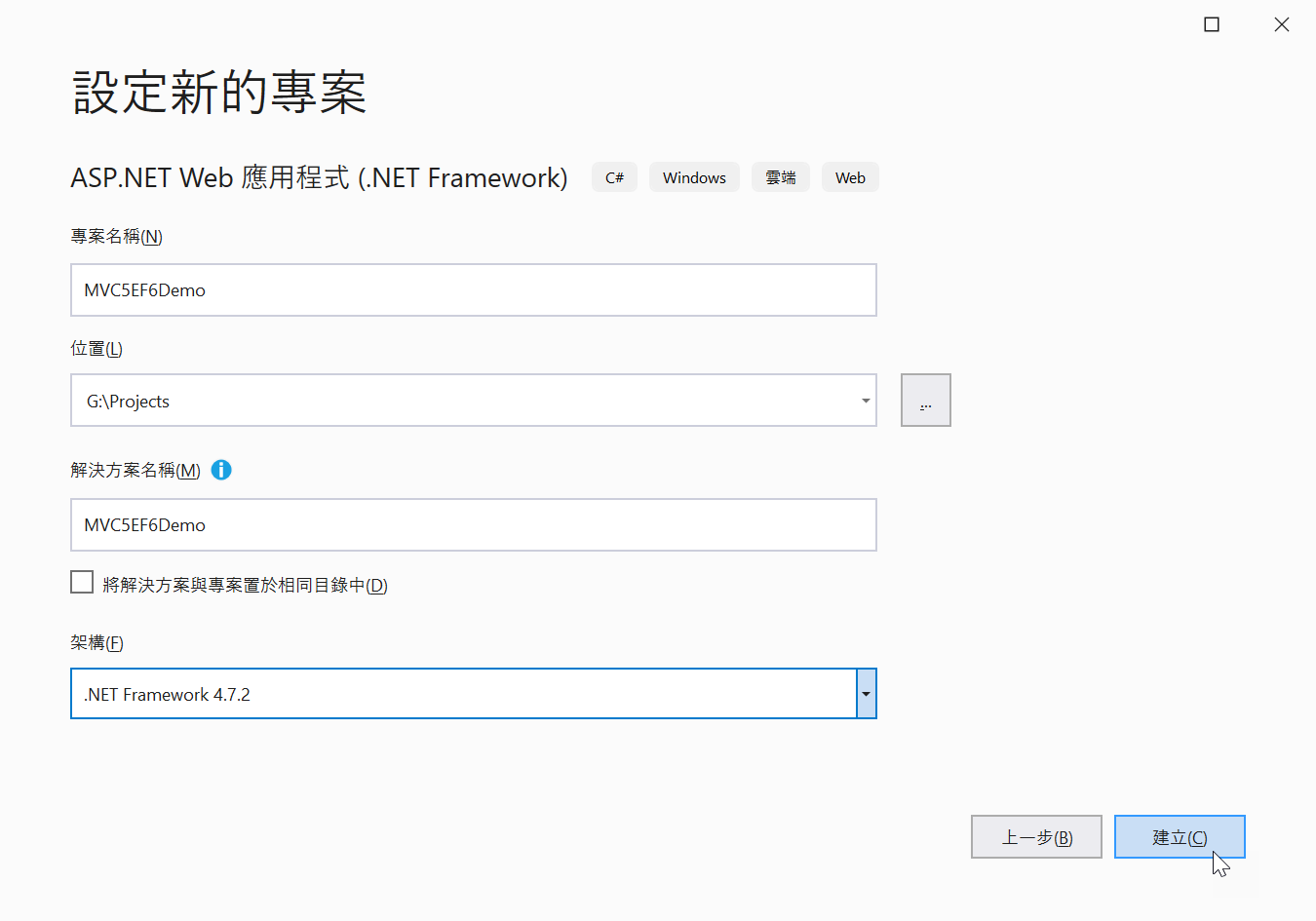
為了要重現我這次遇到的問題,我們先從頭建立一個 ASP.NET MVC 5 專案,步驟如下:
1. 建立 **ASP.NET Web 應用程式 (.NET Framework)** 專案
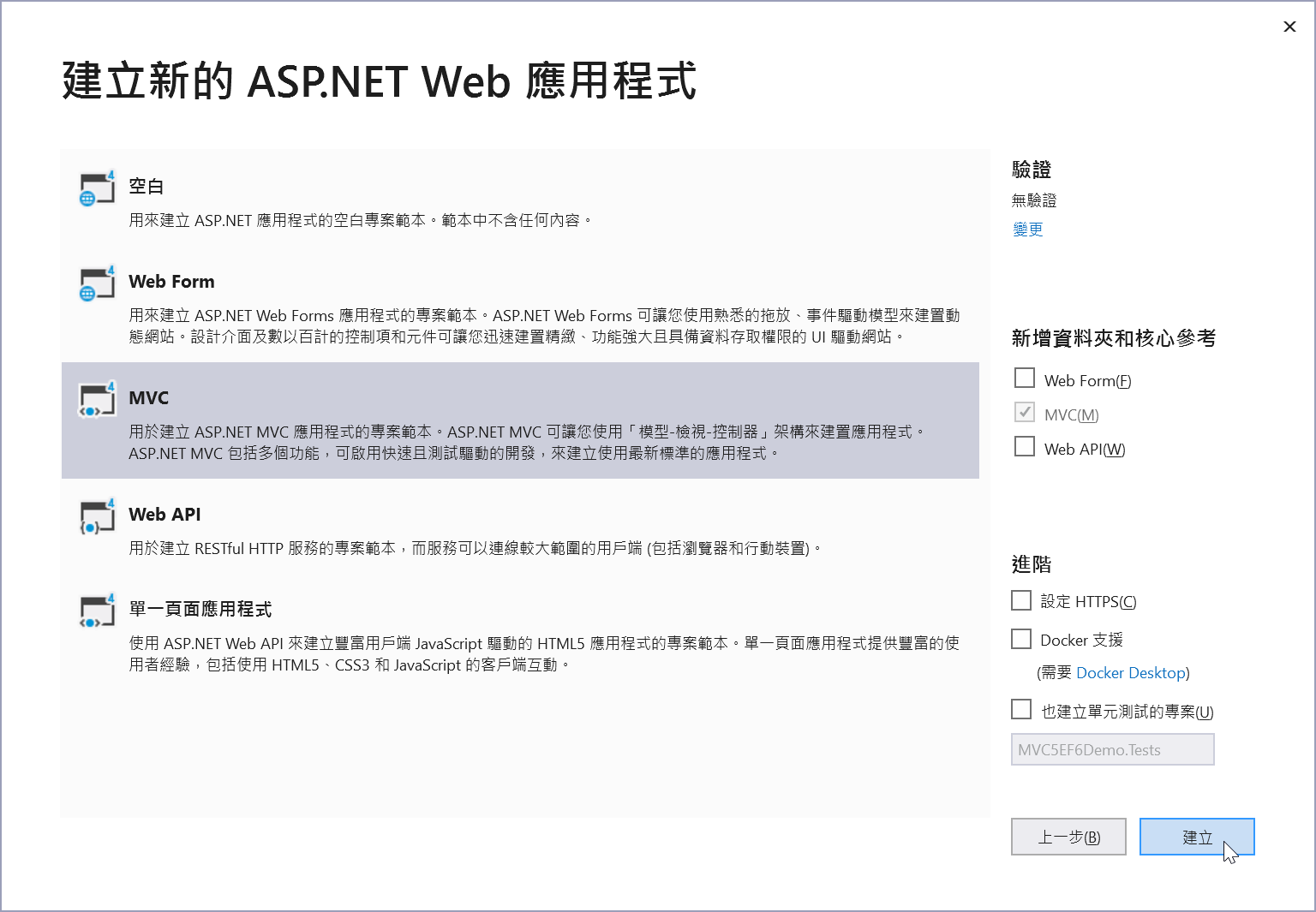
2. 選擇 **MVC** 專案範本
### 使用 MSBuild 建置專案
一般來說,要用**命令列工具**建置專案,可以用 `msbuild` 命令執行,以下是一些常用的命令:
1. 建置 Debug 組態
```bash
msbuild /p:Configuration=Debug
```
2. 建置 Release 組態
```bash
msbuild /p:Configuration=Release
```
3. 建置 Release 組態 + 建置所有 Views 檢視頁面 (`*.cshtml`)
```bash
msbuild /p:Configuration=Release /p:MvcBuildViews=true
```
> 如果想知道如何在 Visual Studio 裡面設定 `MvcBuildViews` 建置的話,可以參考我這篇文章:[ASP.NET MVC 開發心得分享 (11):對 Views 進行編譯檢查](/post/2009/09/04/ASPNET-MVC-Developer-Note-Part-11-Compile-Views-in-ASPNET-MVC)
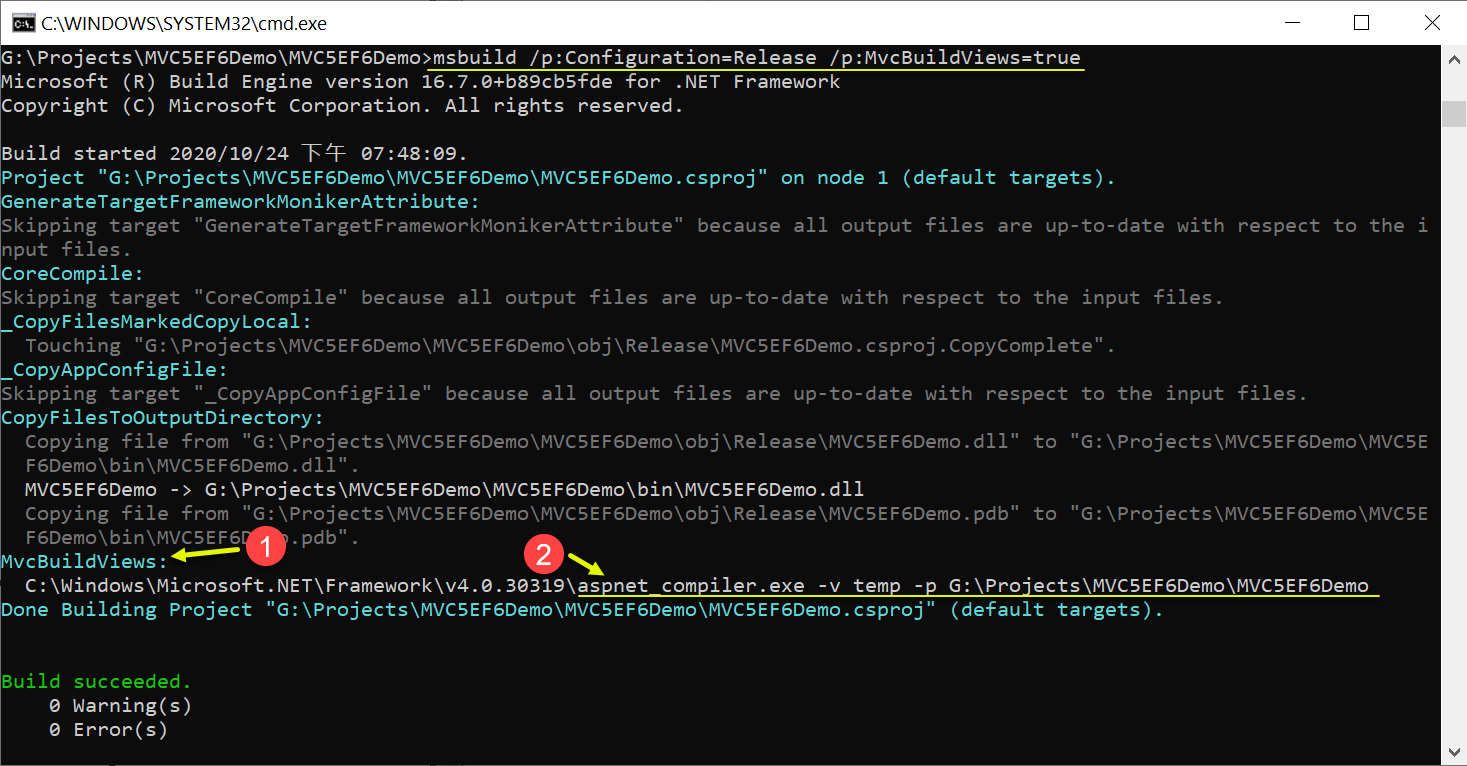
當你啟用了 `MvcBuildViews` 目標,MSBuild 會幫你用 `aspnet_compiler.exe` ( 位於 `C:\Windows\Microsoft.NET\Framework\v4.0.30319` 目錄 ) 來建置整個專案目錄,建置過程的畫面如下:
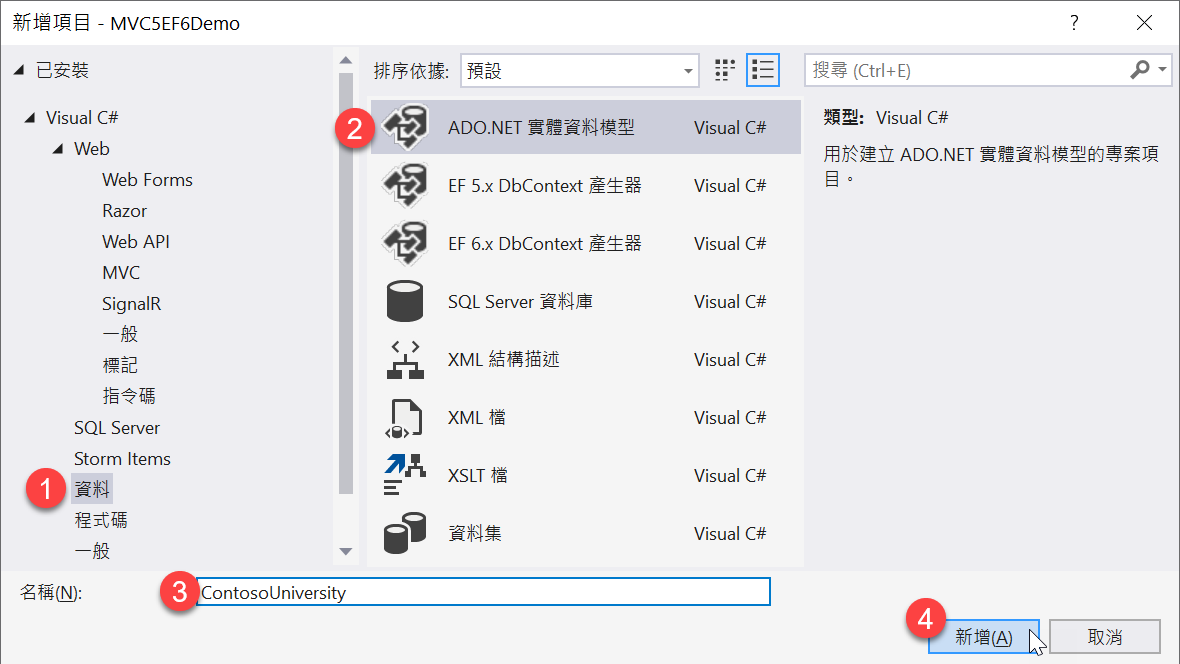
### 使用 Visual Studio 加入 **ADO.NET 實體資料模型** (ADO.NET Entity Data Model)
1. 新增項目
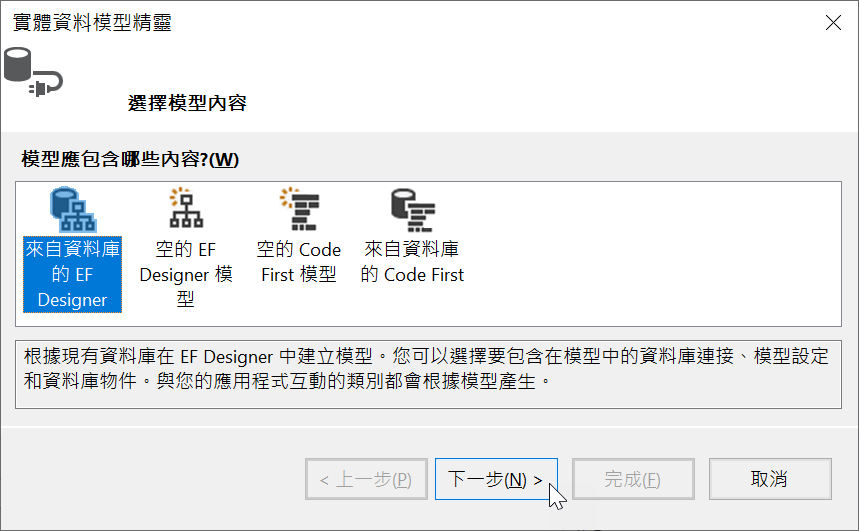
2. 實體資料模型精靈 / 選擇模型內容 / 來自資料庫的 EF Designer
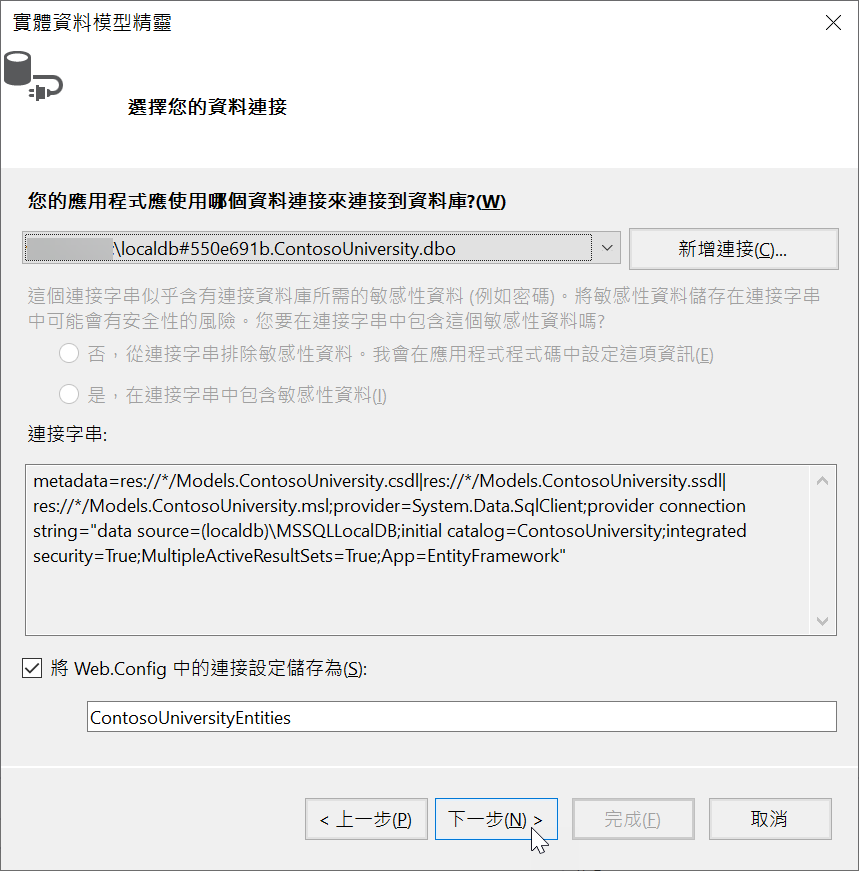
3. 實體資料模型精靈 / 選擇您的資料連結 / 您的應用程式應使用哪個資料連接來連接到資料庫?
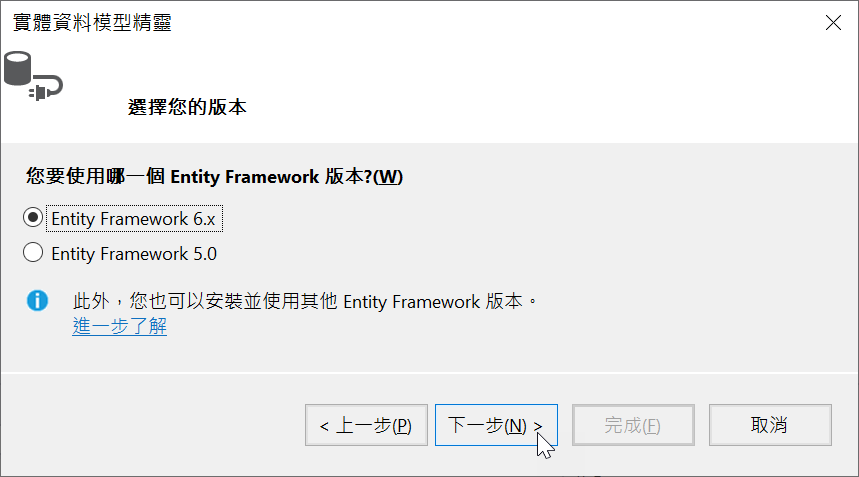
4. 實體資料模型精靈 / 選擇您的版本 / 您要使用哪一個 Entity Framework 版本? / Entity Framework 6.x
5. 實體資料模型精靈 / 選擇您的資料庫物件和設定 / 您的模型中要包含哪些資料庫物件?
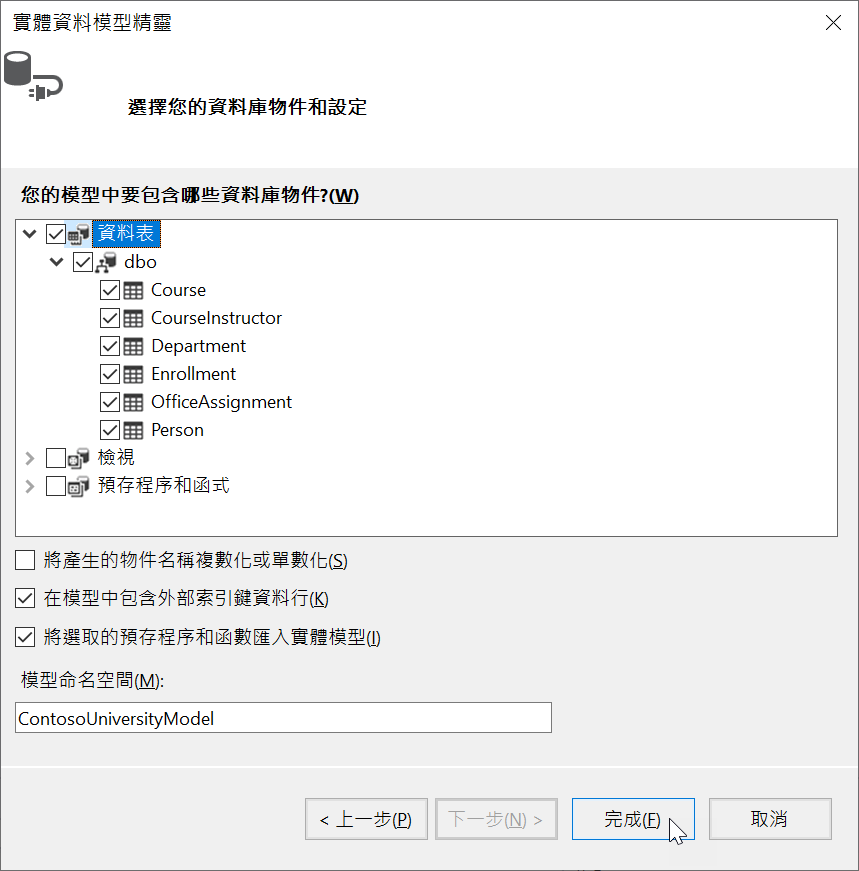
按下完成後,將會建立一個 `ContosoUniversity.edmx` 實體資料模型(EDM)檔案!
6. 建置專案 (**F6**) (**Ctrl-Shift-B**)
確認**建置成功**!
### 重現 `MvcBuildViews` 無法建置專案的問題
1. 建置 Release 組態 + 建置所有 Views 檢視頁面 (`*.cshtml`)
```bash
msbuild /p:Configuration=Release /p:MvcBuildViews=true
```
2. 此時你就可以開始看見**建置失敗**的錯誤了!
```log
MvcBuildViews:
C:\Windows\Microsoft.NET\Framework\v4.0.30319\aspnet_compiler.exe -v temp -p G:\Projects\MVC5EF6Demo\MVC5EF6Demo
C:\Windows\Microsoft.NET\Framework\v4.0.30319\Config\web.config(115): error ASPCONFIG: Could not load type 'System.Data
.Entity.Design.AspNet.EntityDesignerBuildProvider'. [G:\Projects\MVC5EF6Demo\MVC5EF6Demo\MVC5EF6Demo.csproj]
```
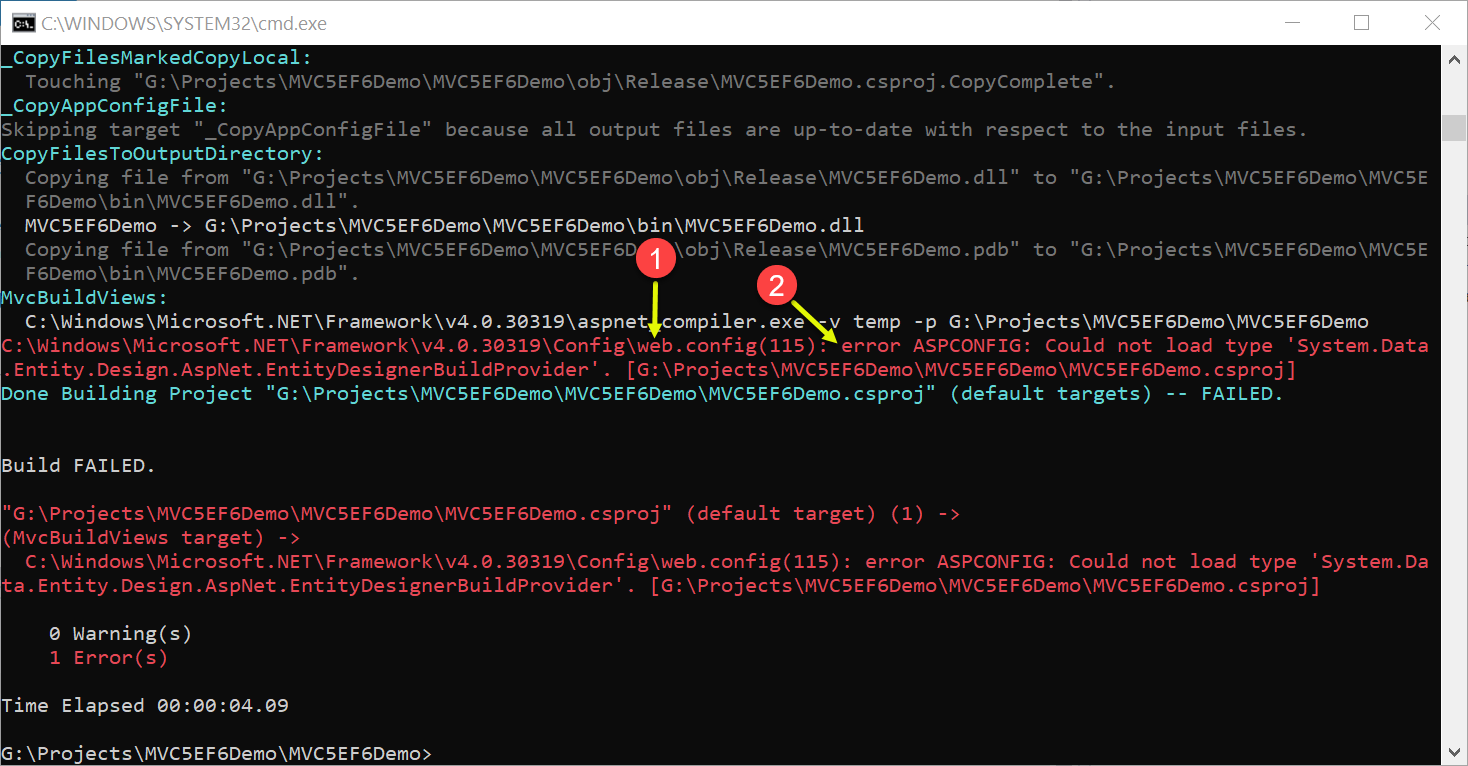
3. 分析發生問題原因
這個錯誤來自於 `C:\Windows\Microsoft.NET\Framework\v4.0.30319\Config\web.config` 檔案的第 115 行,這行的原始碼如下:
```xml
```
> 注意:這個 `C:\Windows\Microsoft.NET\Framework\v4.0.30319\Config\web.config` 檔案為整台主機所有 ASP.NET 應用程式預設載入的 `web.config` 設定檔,這意味著每一個執行在這台主機的 ASP.NET 網站,都是先載入這個「全域設定檔」然後才載入網站本身的 `web.config` 檔!
這段設定位於 `` / `` 區段內,這意味著所有 `.edmx` 預設都會採用 [System.Data.Entity.Design.AspNet.EntityDesignerBuildProvider](https://referencesource.microsoft.com/#System.Data.Entity.Design/System/Data/Entity/Design/AspNet/EntityDesignerBuildProvider.cs,4aad923e8e334a89) 進行建置,並動態產生必要的原始碼 (CSDL, SSDL,MSL)。
這段錯誤訊息顯示 **Could not load type 'System.Data.Entity.Design.AspNet.EntityDesignerBuildProvider'** 的意思,很明顯是有「組件」(Assembly) 沒有被載入才導致這個問題發生!
### 解決方案
只要從專案根目錄的 `web.config` 額外載入 `System.Data.Entity.Design` 組件,這個問題就可以完美解決!
你只要在專案根目錄的 `web.config` 找到 `` / `` 區段,並加入 `System.Data.Entity.Design` 組件,就可以讓 ASP.NET 找到 `System.Data.Entity.Design.AspNet.EntityDesignerBuildProvider` 這個型別:
```xml
```
其實這段設定應該被放進 `C:\Windows\Microsoft.NET\Framework\v4.0.30319\Config\web.config` 檔案才對,你可以試試將上述設定加入到該檔案中,也能完美解決此問題。不過,如果每位開發人員的電腦都要做這樣的設定,似乎不太明智,還是放在專案的 `web.config` 之中並加入版控比較一勞永逸。
從 [這篇](https://stackoverflow.com/questions/2762256/mvcbuildviews-true-with-entity-framework-in-asp-net-mvc-2/2812707#2812707) StackOverflow 的貼文看來,這個問題已經超過 10 年都沒有解決。我自己主觀臆測可能是因為 `System.Data.Entity.Design` 屬於「**開發時期**」才會用到的組件,若是放進全域的 `web.config` 設定中,感覺會載入額外的組件,增加記憶體耗用,所以才預設移除,因此讓有需要的專案自行加入才能使用,也算是個合理的解釋。可惜官方文件完全沒提到這個設定,且也只有需要建置 Views 檔案的時候才用的到,因此第一時間比較難找到解決方案!
### 相關連結
- [MvcBuildViews true with Entity Framework in ASP.NET MVC 2 - Stack Overflow](https://stackoverflow.com/q/2762256/910074)
- 以下是我之前寫過所有關於 MvcBuildViews 的文章
- [ASP.NET MVC 開發心得分享 (11):對 Views 進行編譯檢查](/post/2009/09/04/ASPNET-MVC-Developer-Note-Part-11-Compile-Views-in-ASPNET-MVC)
- [ASP.NET MVC 建置部署套件後無法 MvcBuildViews 的解法](/post/2011/09/09/Visual-Studio-2010-MvcBuildViews-MSBuild-Extension-Pack)
- [分享幾個 Visual Studio 2010 專案升級後無法編譯的問題](/post/2010/05/08/Unable-compile-when-upgrade-ASPNET-project-to-Visual-Studio-2010)
- Source Code: [https://github.com/doggy8088/MVC5EF6MvcBuildViews](https://github.com/doggy8088/MVC5EF6MvcBuildViews)